
Understanding MetaTrader: Features and Use in Nigeria
Discover how Nigerian traders can use MetaTrader for forex, stocks, and commodities with tips on account setup, security, and top features 📈💰 Trade smart in ₦!
Edited By
Henry Wilson
MetaTrader Web Terminal lets Nigerian traders access financial markets directly through web browsers like Chrome, Firefox, or Edge without installing any software. This convenience proves especially useful here, where fast, reliable internet is not always guaranteed and installing apps on mobile devices can be a hassle.
Unlike traditional MetaTrader desktop platforms that require downloading and setup, the Web Terminal loads instantly from any internet-enabled device. For traders operating from Lagos to Kano, this means they can trade stocks, forex, commodities, and indices anywhere — whether at a mama put, office, or even while waiting in a danfo traffic jam.
The Web Terminal supports many familiar features including real-time price charts, technical indicators, order placement, and account management. What’s more, its interface adapts well to screens of all sizes, making it practical for traders using laptops or tablets, not just desktops. For instance, if you are a retail investor using a tokunbo laptop, you’ll appreciate that the Web Terminal demands no heavy software resources.
This platform also integrates well with popular Nigerian brokerages that offer MetaTrader access. Such flexibility opens doors to seamless trading with no hitches related to installation permissions or software compatibility common in some public or office internet setups.
The ability to trade directly via browser reduces entry barriers for active Nigerian traders and investors, offering both speed and reliable access to crucial market data.
By understanding the core features and practical benefits of MetaTrader Web Terminal, Nigerian traders can better position themselves to navigate global and local financial markets effectively. The next sections will explore its functionalities in depth, highlight security best practices, and guide you on optimising the platform for your trading goals.
This knowledge will help you stay sharp in the fast-moving markets, even during peak ember months or times of naira volatility.
MetaTrader Web Terminal stands out as a straightforward way for traders to access financial markets without the hassle of installing a software on their devices. Particularly for Nigerian traders dealing with frequent power outages and limited storage space on their devices, the ability to trade directly from a web browser is a practical advantage. This section breaks down how the platform fits within the MetaTrader family and what makes its web version a handy choice.
MetaTrader platforms, developed by MetaQuotes, are among the most widely used trading tools worldwide. The family includes MetaTrader 4 (MT4) and MetaTrader 5 (MT5), both known for their powerful charting tools, automated trading capabilities, and user-friendly interface. While MT4 remains favoured by forex traders, MT5 extends its reach to stocks, futures, and commodities, offering deeper market access and additional features like economic calendars.
The Web Terminal allows traders to open their accounts, analyse real-time charts, and place orders right from any modern browser – be it Chrome, Firefox, or Edge. This means traders avoid the stress of software downloads, which can sometimes be tricky due to slow or unstable Nigerian internet connections. For instance, a Lagos-based trader can check market movements and place trades while on the go, simply with a laptop or even a smartphone without needing to depend on a specific app.
Because the web terminal runs entirely online, it eliminates the need to install apps or software updates. This is especially important in Nigeria, where mobile devices may have limited storage space or users might be reluctant to install numerous apps. Traders can log in securely via the web and get instant access to their accounts, which enhances convenience and reduces technical headaches during trades, such as crashes or app malfunctions.
The MetaTrader Web Terminal works seamlessly across devices including desktops, laptops, tablets, and smartphones. For example, a trader may start analysis on a desktop computer at home and continue monitoring or executing trades later from a tablet or an android phone while commuting in Lagos. The interface adapts responsively to different screen sizes, ensuring consistent usability regardless of the device.
Orders placed through the web terminal are routed directly to the broker’s server, ensuring swift execution even amid volatile markets. Market data, including live price quotes and chart updates, are streamed continuously to the browser to give real-time insights. However, optimal internet connectivity is key because delays or interruptions can affect trade execution. In Nigeria’s context where internet speed varies, careful selection of reliable ISPs or access through mobile data providers with stable networks like MTN or Airtel can improve this experience.
Using MetaTrader Web Terminal means accessing market opportunities quickly and flexibly without technical barriers. For Nigerians juggling power and connectivity challenges, this platform offers notable ease and adaptability for trading success.
MetaTrader Web Terminal equips Nigerian traders with a rich set of tools essential for effective market analysis and trade management directly from a web browser. These features become particularly valuable in Nigeria, where many traders prefer quick, flexible access without relying on installations or specific devices. Understanding the variety and function of these tools helps traders make informed decisions and adapt swiftly to market shifts.
The Web Terminal offers multiple chart types such as line, bar, and candlestick charts. Each serves a purpose: candlestick charts, for example, provide detailed price movement information widely used among Nigerian forex and commodity traders. Given the volatility in some African markets, these charts help spot trends or reversals quickly, which is crucial when timing entry and exit points.
Using different chart styles can also depend on your trading style. Day traders might stick to candlesticks for detailed price action, while long-term investors might prefer line charts for simplicity. The flexibility to switch charts on the browser without extra setups makes it easier to adjust strategies based on rapidly changing conditions.
MetaTrader Web Terminal comes loaded with over 30 technical indicators like Moving Averages, RSI (Relative Strength Index), and Bollinger Bands – all common tools among Nigerian traders to gauge market momentum and volatility. Drawing tools, such as trendlines and Fibonacci retracement, allow users to mark critical support and resistance levels directly on the charts.
For example, a trader watching the Nigerian Stock Exchange (NGX) might use RSI to spot when a stock is oversold, combined with a trendline to confirm the support level before deciding to buy. These tools combine subjective and objective analysis, offering an edge to traders when watching fast-moving assets like forex pairs or commodities.
Market orders let traders buy or sell assets instantly at current market prices. In Nigeria’s often unpredictable trading environment, speed matters. Quickly executing market orders through the Web Terminal ensures traders don’t miss out when prices swing dramatically, such as during ember months when market activity heightens.
This order type suits traders who prioritise immediacy over control on price, especially for high-liquidity instruments like USDNGN forex pairs or global indices.
Pending orders give traders the option to set trades to execute automatically once prices reach a specific level. This tool is a lifesaver when you can’t watch markets continuously due to power cuts or Lagos traffic delays. For instance, a trader might set a buy limit on oil prices to catch a dip without the need to log in constantly.
Through pending orders, you can plan trades based on your analysis and let the platform handle execution, reducing stress and the risk of emotional decisions.
These risk management tools protect your capital by automatically closing trades at predefined loss or profit points. Considering the fluctuating naira exchange rates and sudden swings in global commodity prices, stop loss orders prevent unexpected losses, which Nigerian traders particularly need.
Take profit orders help realise gains systematically without being glued to the screen. For example, if you bought MTN shares at ₦150, set a take profit at ₦165 to lock in profit once the target is reached, regardless of what comes next.
Accessing your trade history on the Web Terminal helps analyse past performance, spotting what worked or failed. For Nigerian traders managing multiple assets across forex, stocks, and commodities, reviewing history is vital for refining strategies and preparing for tax filings with FIRS.
The platform conveniently logs all transactions with time stamps and price details, making record-keeping straightforward.
Customising charts and windows allows traders to organise tools and data the way they prefer. For example, a trader interested in forex and crude oil prices can arrange multiple charts side by side for simultaneous analysis. This personalisation makes the interface more efficient and reduces unnecessary clutter.
Since Nigerian traders mostly deal with unstable internet connections, having a simplified, focused layout cuts down load times and makes navigation smoother.
MetaTrader Web Terminal supports multiple languages and display options, enabling Nigerian users to set the interface to English or local settings that suit their reading comfort. Adjusting colour schemes and font sizes also helps reduce eye strain, especially when monitoring markets for hours.
The flexibility in settings accommodates different user preferences and trading conditions, enhancing overall user experience.
Having the right features and tools in the MetaTrader Web Terminal means Nigerian traders can manage trades confidently, balance risks, and control their accounts effectively — all without leaving their browsers.
Choosing the right platform to trade with MetaTrader depends on your trading style, device accessibility, and internet conditions. Comparing the Web Terminal with the Desktop and Mobile apps helps Nigerian traders identify which platform delivers the best performance and features for their unique needs. This understanding ensures you make the most of your trading time and resources.
Desktop apps typically outperform both the Web Terminal and Mobile apps in speed and stability. This advantage stems from direct installation on your computer, allowing faster execution of trades and real-time updates, especially during volatile market hours. For example, a trader using a Desktop MetaTrader app on a well-equipped PC connected via fibre broadband in Lagos will experience smoother chart animations and quicker order confirmations than when using the Web Terminal over intermittent 4G.
Mobile apps trade versatility for lighter resource use and convenience. They are optimised to run on smartphones with limited processing power, which can reduce speed, especially when multiple charts or indicators run simultaneously. Web Terminals, on their part, depend on browser efficiency and internet quality; slow browser response or spotty internet can lead to delays in loading charts or executing orders.
The Desktop MetaTrader platform offers the most comprehensive set of features: advanced charting, automated Expert Advisors (EAs), heat maps, and custom indicators. Many pro traders prefer this platform for intensive technical analysis and algorithmic trading. In contrast, the Web Terminal has a more basic feature set with fewer technical indicators and no support for automated trading scripts.
Mobile apps balance accessibility with functionality—they support essential tools like charts, account management, and order placement, but lack the depth of the Desktop platform. For example, a Nigerian investor checking position status on a Mobile app during a daily commute might not have access to complex tools like multi-timeframe analysis, available only on Desktop.
Each MetaTrader platform has contexts where it shines. Desktop apps suit those who trade full-time from a fixed location with stable internet. They handle multiple accounts and complex strategies well, making them ideal for professional brokers or analysts based in Nigerian financial centres.
The Web Terminal is perfect for traders who switch devices often, or who can’t install software due to work restrictions or device limitations. It allows quick access to live markets from any internet-connected computer, handy for entrepreneurs or investors attending events where installing apps isn’t feasible.
Mobile apps are best for on-the-go monitoring and quick trades, useful during travelling through busy Lagos traffic or when away from home. However, they are less suited for deep technical work or full-scale portfolio management.
Getting familiar with these differences can prevent frustration and missed opportunities. Understanding how each version fits your trading habits helps you navigate Nigerian market challenges like unstable internet or power outages efficiently.
In summary:
Desktop: Best for power users needing full features and fastest execution
Web Terminal: Ideal for flexibility and quick access without installation
Mobile: Suitable for monitoring and simple trades on the move
This practical insight assists Nigerian traders, investors, and brokers in selecting the platform that matches their daily realities and trading goals.
The MetaTrader Web Terminal offers Nigerian traders flexibility to access forex and other financial markets without heavy software installations. However, for it to serve you well, understanding local internet challenges, security practices, and practical tips is essential. In Nigeria, erratic power supply and unstable internet connections can disrupt online trading but knowing how to navigate these obstacles makes a big difference.
Stable internet is the backbone of smooth trading on MetaTrader Web Terminal. In Nigeria, many users rely on 4G networks from providers like MTN, Airtel, and Glo, which can be patchy depending on your location. Lagos and Abuja generally have better coverage, while rural areas may lag behind. Traders should aim for at least 1 Mbps stable broadband or mobile data speed to avoid delays in chart updates or order executions.
Unstable connections risk order slippage or trade execution delays, which can impact profits. For example, a trader in Ibadan relying on a single network might experience lags during ember months when network demand surges. Using a data SIM from multiple providers or Wi-Fi hotspots can help mitigate this risk.
Phishing attacks remain a big threat; scammers create fake MetaTrader login sites that look like the real deal to steal your credentials. Always verify the URL and ensure it matches the official platform provided by your broker. Avoid clicking links from suspicious emails or social media messages offering “hot trading tips” or “exclusive access”. Such tactics are common in Nigeria’s trading space.
Use strong, unique passwords combining letters, numbers, and symbols. Nigerian traders should also enable two-factor authentication (2FA) where available, adding an extra layer of protection against unauthorised access. Never share your login details with anyone, even if they claim to be from your broker. Remember, brokers or Metatrader itself will never ask for your password or PIN over the phone or email.
Protect your personal and financial data by trading only through secure and official MetaTrader Web Terminal URLs. Avoid using public or shared computers, especially at cybercafes or internet hubs common in Nigerian cities. Clear your browser cache after sessions and consider using VPN services for added privacy when on open networks.
Browsers like Google Chrome, Mozilla Firefox, and Microsoft Edge often deliver the best compatibility with MetaTrader Web Terminal. Update your browser regularly to benefit from security patches and performance improvements. Avoid using less popular or outdated browsers that may cause chart glitches or failed order submissions.
Nigeria’s frequent power outages are a serious challenge for online trading. To stay ahead, consider investing in a reliable UPS (Uninterruptible Power Supply) or inverter to keep your devices running during blackouts. This ensures continuous access to the terminal and avoids missed trading opportunities, especially during volatile market hours.
Always export your trade history and transaction reports regularly as offline backups. This habit helps you keep track of your trading performance even if the web terminal experiences issues. Additionally, consider having a mobile device as a backup platform to switch quickly if your primary computer faces any problems.
Consistently preparing for local challenges like internet hiccups and power cuts improves your chances to trade effectively and securely on MetaTrader Web Terminal in Nigeria.
By following these practical steps, Nigerian traders can maximise their use of the MetaTrader Web Terminal, avoiding pitfalls common in the local trading environment and ensuring a smooth, secure trading experience.
Using MetaTrader Web Terminal in Nigeria can sometimes present challenges that disrupt trading activities. Knowing how to troubleshoot common issues quickly saves time and protects your investments. This section highlights frequent problems Nigerian traders face and practical solutions to keep trading smooth.
Login issues are a common hurdle, often caused by incorrect credentials or connectivity problems. Double-check your username and password for typos before trying again. Also, ensure your internet connection is stable—Nigerians frequently face disruptions due to power outages or poor network coverage, which can interrupt login processes.
If you forget your password, use the reset option provided by your broker’s platform. Verify that your login details correspond exactly to the MetaTrader account given by your broker; mixing up live and demo account credentials can cause failed logins.
Chart problems like slow loading or freezing often stem from unstable connections or heavy browser cache. Nigerian internet providers sometimes deliver inconsistent speeds, especially during peak hours, which impacts the web terminal’s performance.
Clearing your browser cache regularly helps prevent slow responses. Also, use reliable browsers such as Google Chrome or Mozilla Firefox, which support MetaTrader Web Terminal optimally. Close other heavy tabs and background apps to free up device resources.
If charts freeze repeatedly, consider reducing the number of indicators or charts open simultaneously. Too many technical tools can overload your device and browser, especially on older computers or smartphones common in Nigeria.
Errors during order execution can quickly turn profitable trades into losses. Common causes include rapid market movements, insufficient funds, or broker-side delays. Nigerian traders should monitor their account balance regularly to avoid placing orders they cannot support.
Network latency during volatile periods like the NSE’s peak hours can delay order transmission. Using a stable connection and logging in during less busy times may reduce errors. Also, check whether your broker imposes margin requirements or restrictions that affect trade execution.
Remember, swift action on troubleshooting protects your positions and keeps you ahead in the volatile financial markets. Nigerian traders benefit greatly from understanding these issues and addressing them promptly.
Having basic troubleshooting skills for MetaTrader Web Terminal prevents avoidable losses and downtime. By resolving login troubles, managing chart demands wisely, and monitoring order executions carefully, you maintain control and confidence in your trading activities.
Discover how Nigerian traders can use MetaTrader for forex, stocks, and commodities with tips on account setup, security, and top features 📈💰 Trade smart in ₦!
Discover how to pick the best forex broker in Nigeria 🇳🇬 with tips on regulation, platforms, fees, support, and avoiding common mistakes 📈💡
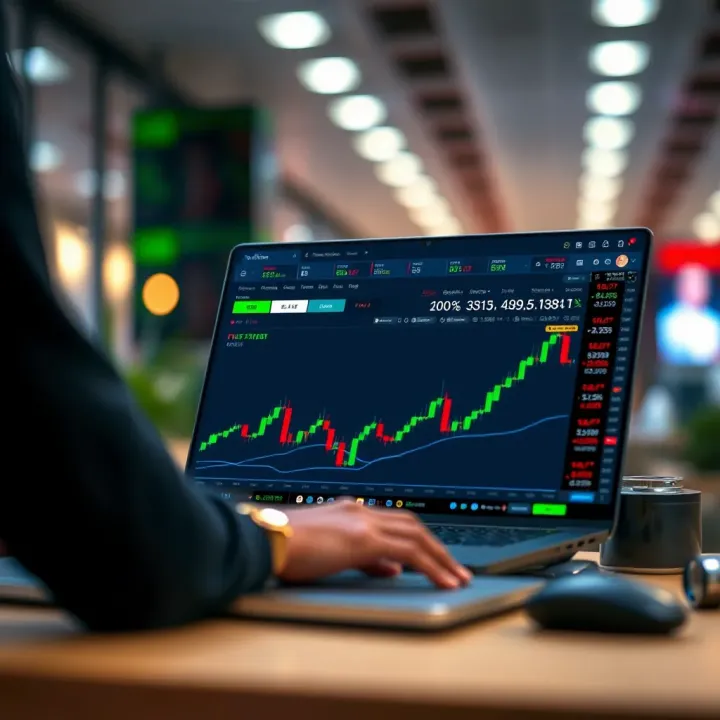
📊 Learn FxPro minimum deposit requirements and what Nigerian traders must know. Get insights on account types, payment methods, fees, currency options, and fund tips!
Explore how Deriv Cashier simplifies online trading for Nigerians 🇳🇬. Learn to register, deposit, withdraw ₦, and manage funds safely with local payment tips 💳🔒.
Based on 14 reviews