
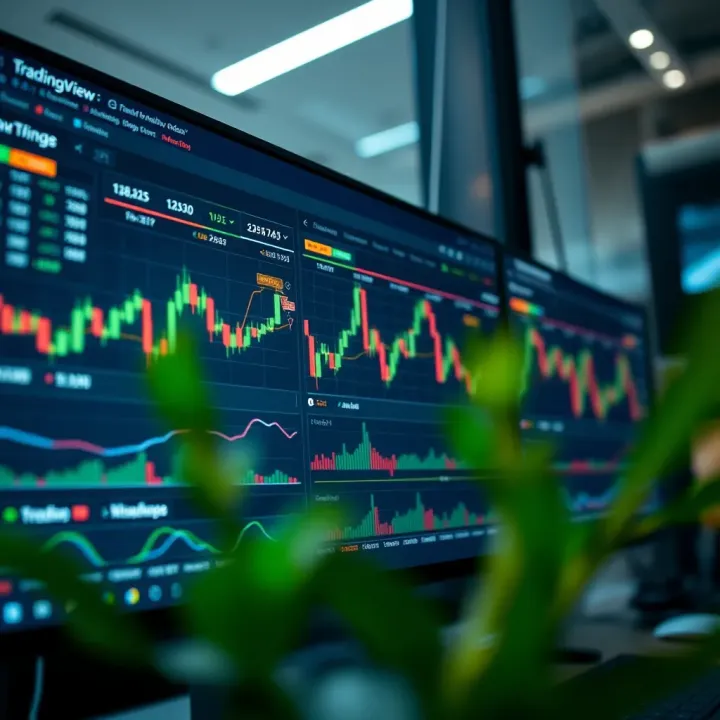
Using TradingView Charts for Market Analysis in Nigeria
📊 Master TradingView charts for smart market analysis in Nigeria! Learn to navigate, customize layouts, and apply indicators to boost your trading success.
Edited By
George Spencer
TradingView.com has become a go-to platform for traders and investors, especially in Nigeria's growing financial markets. It offers an accessible way to analyze market trends, spot trading opportunities, and manage portfolios—all in one place.
With so many tools packed into TradingView's charts, it can be a bit overwhelming at first. This article will break down the essentials, walk you through navigating the platform, and show you practical steps to make these charts work for your trading style.
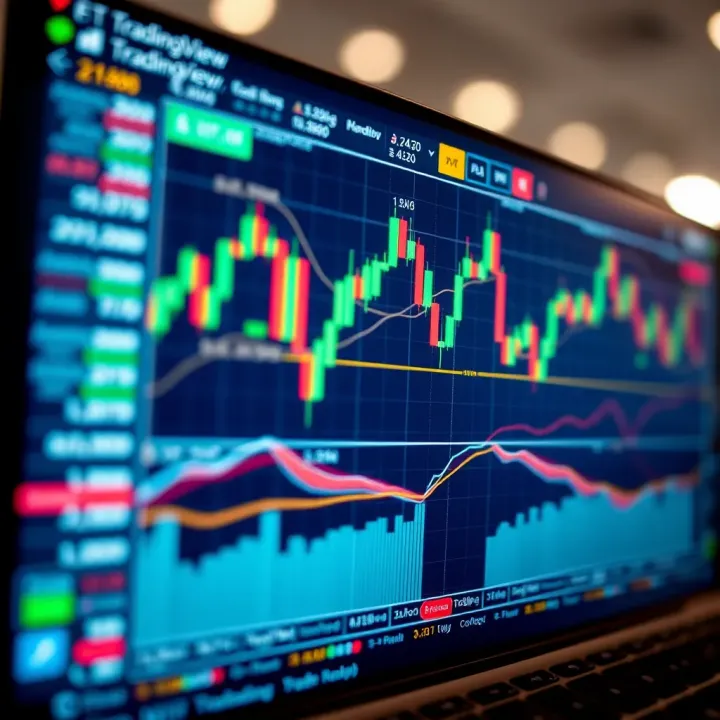
Whether you’re a seasoned analyst, a beginner trader, or simply someone keeping an eye on Nigerian stocks or cryptocurrencies, understanding how to use TradingView properly is a real edge. From customizing your charts to setting alerts that keep you ahead of market moves, we’ll cover it all.
Markets move fast, but with the right tools, you don’t have to chase after them blindly. TradingView charts offer clarity and insight, turning raw market data into actionable knowledge.
We'll explore not just the basics but also advanced features like social sharing and portfolio tracking, tailored to traders and investors active in Nigeria's unique market environment.
Let's get started with the fundamentals, so you can navigate through TradingView.com with confidence and know exactly where to find what you need.
TradingView.com charts stand as a vital tool for anyone diving into the world of trading or investing. They offer a clear window into market behavior, letting users watch price shifts and volume changes in real time. Understanding these charts is like having a reliable compass while navigating the often choppy seas of financial markets. For traders and investors in Nigeria and beyond, getting a handle on TradingView charts means you’re better equipped to spot opportunities and risks alike.
TradingView started as a straightforward idea: make market data easy to read and analyze for everyone. Its popularity skyrocketed because it delivers this compactly and effectively, making it a go-to platform across different experience levels. From forex to stocks and crypto, you get access to a wide array of markets. One practical win is the ability to test out strategies on interactive charts without needing fancy setups.
The platform’s interface feels intuitive but carries depth for those who want it. You’ll find things like the chart window, symbol search, and the main toolbar laid out cleanly. This setup makes it easy to jump quickly from one asset to another without losing track. For example, switching between a candlestick and line chart only takes a click or two, saving time when you're analyzing fast-moving trends.
TradingView is built to be accessible—whether you’re on a laptop in Lagos or a smartphone in Abuja. It offers a range of accounts from free versions with basic features to paid upgrades unlocking multiple charts and advanced indicators. This means you can start with no cost and scale up as your trading skills and needs grow. Plus, all data updates happen smoothly, so lagging behind is rarely an issue.
At its core, charting turns raw numbers into visual patterns that are easier to digest. Imagine staring at a wall of numbers vs. watching a candlestick chart that highlights support and resistance zones. The visual cues help traders grasp shifts and reversals much faster. For instance, spotting a double top formation can immediately suggest a possible drop ahead, guiding decisions in time.
Charts sharpen decision-making by showing clear entry and exit points. It’s not guesswork anymore but based on trends, volumes, and more. Think of a trader noticing a rising Relative Strength Index (RSI) signaling an overbought asset—that’s a hint to be cautious. Decisions backed by chart insights tend to be less emotional and more systematic.
Whether you’re a day trader averaging just a few minutes per trade or a swing trader holding positions for days or weeks, TradingView charts fit the bill. They offer flexible timeframes—from 1-minute intervals to monthly views—catering to differing strategies. This adaptability means you can tailor the charts to your preferred pace and style, making the platform versatile for all kinds of market players.
Mastering the basics of TradingView charts not only prepares you for the immediate markets but also builds a foundation to explore more complex tools and techniques down the line, helping you stay ahead in Nigeria’s vibrant trading community.
Diving into TradingView charts can feel like walking into a bustling marketplace at first. The sheer number of tools and options might overwhelm even seasoned traders. That’s why getting started properly is crucial—it sets the tone for how confidently you can navigate the platform and make trading and analysis decisions. When you understand the basics, like how to open charts, pick the right assets, and keep your workspace tidy, you not only save time but also reduce costly errors in your trading process.
Opening a chart on TradingView is your first step toward meaningful market analysis. The platform makes it straightforward—you just start typing your asset in the search bar, whether it’s the Nigerian Naira/USD pair, stocks like Dangote Cement, or commodities like crude oil. Once selected, the chart loads with default settings, ready to be customized. This ease of access is handy especially when market conditions change fast; you can jump on any asset without fumbling around.
Selecting financial instruments is where you tailor your focus. Whether you’re tracking forex, indices, or cryptocurrencies, TradingView offers a vast library. For example, a Lagos-based investor might want to watch Nigerian Stock Exchange shares alongside global giants like Apple or Tesla to compare trends. Choosing your instrument carefully ensures your charts reflect the markets that matter most to your portfolio.
Saving and organizing charts turns the chaos into order. Imagine you follow several sectors – banking, tech, and commodities. TradingView allows you to save these different charts and arrange them into folders or workspaces. By doing so, you can jump directly to your banking stocks chart without sifting through dozens of others. This feature helps keep your analysis sharp and time-efficient.
Timeframes and intervals dictate how you view price movements. For short-term trades, switching to 5-minute or 15-minute intervals helps spot quick trends, like those common in Nigerian forex trading during peak hours. On the other hand, a longer-term investor might look at daily or weekly charts to understand the bigger picture without getting distracted by noise.
Price scales and axes might seem technical, but they’re vital for interpreting data accurately. The vertical price axis shows current value, while the horizontal time axis tracks the period. TradingView allows you to switch between linear and logarithmic scales. For assets with big price swings, such as cryptocurrencies, logarithmic scales provide a clearer view of percentage changes.
The toolbar and menu functions are your command center on TradingView charts. Tools like trendline drawing, Fibonacci retracements, and indicator settings are tucked here. Knowing where to find and quickly activate these tools can speed up your analysis. For instance, a trader examining GTBank shares might draw support and resistance levels right from the toolbar to anticipate price moves.
Mastering these basics transforms TradingView from a complicated screen into your personal market analyst, helping you take better, faster actions.
By focusing on these core elements—creating charts, selecting what to watch, organizing your views, and understanding the chart layout—you lay a strong foundation for using TradingView effectively. This approach saves time and boosts confidence, critical in the fast-paced trading environments common in Nigeria and beyond.
Understanding the different types of charts available on TradingView is essential for traders and investors aiming to interpret market data effectively. Each chart type presents price movements and trends in its own unique way, making some more suitable for specific trading styles than others. Choosing the right chart can help reveal hidden patterns, simplify complex data, and ultimately guide better trading decisions.
For example, newbie traders might find line charts less intimidating, while more advanced traders may prefer candlesticks for their detailed insights. Let’s break down the main chart types you’ll encounter and how to make the most of them.
Line charts are the simplest form of charting, typically plotting only the closing prices over a selected timeframe and linking them with a single continuous line. They’re best used when you want a quick glance at the overall trend without the distraction of daily highs, lows, or volume data. If you're tracking the general direction of stocks like MTN Nigeria or Dangote Cement over several months, line charts strip the noise and help you stay focused on the big picture.
This simplicity makes line charts perfect for investors who prefer a minimalist view or analysts beginning to familiarize themselves with chart reading. It’s also useful when you want to smooth out price volatility and avoid getting tangled in short-term price swings.
Interpreting line charts involves looking at the slope and direction of the line. An upward slope indicates rising prices, suggesting bullish momentum, while a downward slope means prices are falling, signaling bearish conditions. Flat or sideways lines point to consolidation or indecision in the market.
By drawing trendlines on line charts, traders can highlight support and resistance levels to identify potential breakout or breakdown points. For instance, if Naira Forex rates show a steady upward line chart, a trader might consider buying signals once the price breaks past a resistance level.
Bar charts provide more detailed information than line charts by showing four key data points for each period: open, high, low, and close prices. Each vertical bar represents the price range (from low to high) during that timeframe, with horizontal ticks on each side showing the opening price (left tick) and closing price (right tick). This layout gives a fuller picture of price action within the chosen interval.
This style is useful to spot intraday volatility and the battle between buyers and sellers. For example, on a 15-minute chart for Lekoil shares, a trader can see not just where prices ended but how they moved through the session.
Bar charts offer a balanced view that suits traders looking for more detail without the extra visual elements of candlestick charts. They're favored in technical analysis when identifying price patterns like flags, rectangles, or head and shoulders formations.
For Nigerian markets especially, where sometimes liquidity is lower, bar charts clearly show price gaps and rapid swings, helping traders avoid false signals. Their flexibility works well across various timeframes, from daily charts to hourly or even minute-by-minute views.
Candlestick charts take bar charts a step further visually. Each "candle" not only marks the open and close but also colors the body to indicate whether price rose (typically green) or fell (red) during that period. The wicks or shadows above and below reflect the high and low prices.
Reading candlestick charts involves understanding the size and shape of the candles to interpret market sentiment. A long green candle suggests strong buying pressure; a long red candle implies heavy selling. Short bodies with long wicks often indicate indecision or rejects of price levels.
This visual language allows traders to catch immediate clues about momentum and potential reversals, essential when trading fast-moving instruments like the Nigerian Stock Exchange All Share Index (NSE ASI).
Several candlestick patterns have stood the test of time for spotting market turns and continuations:
Doji: Where open and close prices are almost equal, hinting at market indecision—a warning sign that trend might change.
Hammer and Hanging Man: These have a small body with a long lower shadow. When they appear after a downtrend, they can suggest a potential bullish reversal.
Engulfing Patterns: When a candle’s body fully engulfs the previous candle’s body, it signals strong momentum in the direction of the engulfing candle. A bullish engulfing suggests buying interest is taking over.
Using these patterns alongside volume and other indicators can greatly improve timing decisions for Nigerian markets where sudden price reactions happen often.
Understanding chart types is a cornerstone of effective trading. Picking the right chart based on your analysis needs allows you to cut through market noise and focus on what really matters in price action.
By mastering line, bar, and candlestick charts on TradingView, you position yourself to read markets with confidence and tailor your trading strategies accordingly.
Customizing chart settings on TradingView is like tailoring a suit—it makes sure the charts fit your personal trading style like a glove. When you tweak the look and feel of your charts, you’re not just playing with colors or layouts; you’re creating a workflow that’s easier on your eyes and sharper for your analysis. Especially in a fast-moving market, having charts set up the way you like can help cut through noise and spot real opportunities quicker.
Color schemes aren’t just about aesthetics—they help you interpret data faster. For instance, a dark theme might be easier on your eyes during late-night trading sessions, while a bright theme can make up and down movements pop out clearly during the day. TradingView offers several color presets, and you can even create your own. For example, some traders prefer green for up bars and red for down bars because it’s intuitive and universally understood.
Choosing the right theme helps reduce eye strain, allowing you to stay focused for longer periods without fatigue. If you’re tracking multiple charts, contrasting colors can make it clear at a glance which asset you're looking at.
The chart’s background and grid act like the canvas and guidelines for your market picture. You have the option to switch between solid color backgrounds or gradients, which can enhance visibility depending on your screen type or lighting conditions. Also, enabling or disabling grid lines can make a difference. Grid lines help in gauging price levels and time intervals, but sometimes turning them off declutters the view, especially when you’re focusing on specific candlestick patterns or drawing tools.
Practical tip: If you’re analyzing short-term price movements, keeping grid lines on can improve precision. However, for a broader market view, a cleaner background might help you focus on the overall trend.
Timeframes are the backbone of any technical analysis. Switching between intervals lets you zoom out for a broad market view or zoom in for nitty-gritty price action. For example, a Nigerian trader monitoring Naira/USD might start with a daily chart to understand the overall trend and then switch to a 5-minute chart during active trading hours to catch intraday price swings.
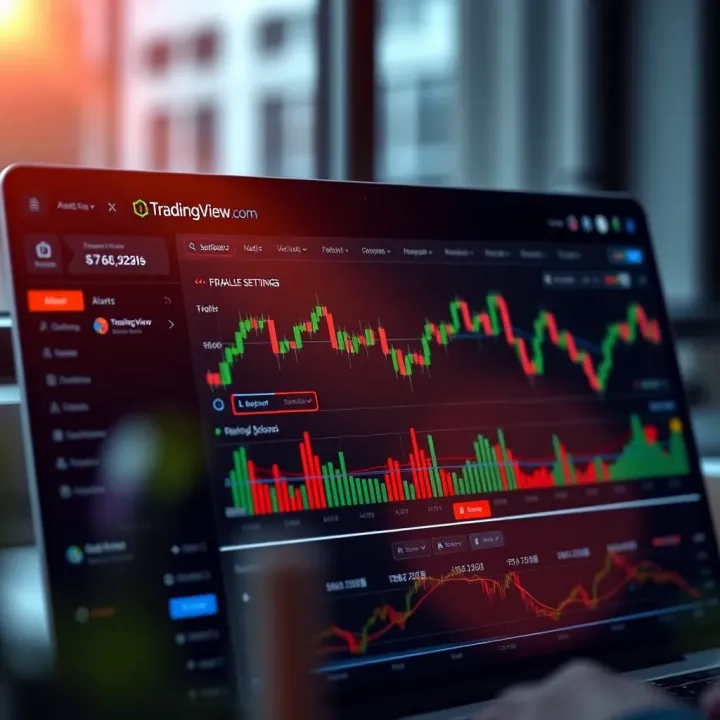
TradingView makes switching intervals as simple as clicking a dropdown menu or using keyboard shortcuts—saving you time and keeping your momentum. It’s important to keep your strategy in mind here: long-term investors might primarily use daily or weekly charts, while day traders focus on minutes and hourly intervals.
Zooming and scrolling are like your binoculars and map rolled into one—they help navigate the vast market data efficiently. Zoom in to examine detailed price action during volatile periods, or zoom out to get a sense of trends and support/resistance levels. Scrolling left or right lets you move through historical data for pattern comparison.
TradingView’s mouse wheel zoom and trackpad scroll work smoothly, allowing fluid movement across your charts. For instance, a trader might zoom into a sudden drop in the Nigerian Stock Exchange to analyze volume spikes or candle formations, then quickly scroll back to see how previous levels acted as support.
Remember, mastering these settings can improve how quickly you spot trading signals and reduce errors caused by clutter or misinterpretation.
With the ability to customize chart appearance and control timeframes precisely, you can transform a generic chart into a powerful decision-making tool tailored just for you. Whether you’re analyzing forex, stocks, or commodities on TradingView, these tweaks make a real difference in how you read the market.
Technical indicators are powerful tools that help traders make sense of price movements and market trends. On TradingView, indicators act like a trader's compass—they point out patterns, strengths, and possible reversals that can be hard to spot with the naked eye. Whether you're day trading small caps or investing in blue-chip stocks, using these indicators effectively can sharpen your timing and decision-making processes.
Many traders in Nigeria, for example, use indicators to navigate the often volatile Forex and stock markets. Here, indicators bridge the gap between raw data and actionable insight, turning complex price action into straightforward signals. The best part? TradingView offers a wide range of these tools, so you can tailor your charts to fit your specific strategy without drowning in unnecessary info.
Moving averages smooth out price data to create a single flowing line that represents the average price over a certain period. This helps reduce the 'noise' from wild price swings and highlights the underlying trend. Common types include the Simple Moving Average (SMA) and the Exponential Moving Average (EMA).
For example, a 50-day SMA might be plotted alongside a 200-day SMA — when the short-term average crosses above the long-term average, it could signal a bullish trend. This crossover technique is popular because it combines simplicity with practical utility. On TradingView, you can easily add these lines and customize their periods to match how short-term or long-term your trade horizon is.
The RSI measures the speed and change of recent price movements on a scale of 0 to 100. It typically helps traders identify overbought or oversold conditions. When the RSI crosses above 70, it might suggest the asset is overbought and due for a pullback; below 30, it might indicate oversold conditions, potentially signalling a buying opportunity.
Just imagine spotting an RSI dip below 30 on a Nigerian bank stock after a heavy sell-off—that could be a hint to watch for reversal signs. TradingView lets you set RSI parameters and even combine RSI signals with other indicators for more robust analysis.
The Moving Average Convergence Divergence (MACD) combines moving averages and momentum to reveal change points in trends. It shows the relationship between two EMAs, usually the 12-day and 26-day, and includes a signal line. When the MACD line crosses the signal line, traders see it as a potential buy or sell signal.
Using MACD on TradingView can help Nigerian traders pick entry and exit points amid rapid price changes especially in commodities or popular stocks. It's a favorite because it helps confirm trends and momentum shifts without relying on price action alone.
Adding indicators on TradingView is straightforward, but choosing the right ones requires a bit of thought. Start by pinpointing your strategy goals: Are you looking to catch trend changes, measure momentum, or confirm volume? For example, a swing trader might lean on moving averages and RSI, while a day trader may favor MACD and volume indicators.
On TradingView, click the 'Indicators' button and browse categories or type to search. Stick to a few key indicators rather than overloading your chart; too many can cloud the signals you're trying to catch.
Most indicators allow you to tweak parameters like the time period or signal smoothing to suit your trading style. For instance, shortening the moving average period from 50 to 20 days makes it more sensitive to price changes, but also more prone to false signals.
Experimenting with these settings helps you find a sweet spot that matches the asset volatility and your risk tolerance. Nigerian markets have their quirks, so a little trial and error on TradingView’s platform can go a long way in shaping your edge.
When your chart looks cluttered or an indicator no longer fits your current strategy, removing it is quick. Simply click the 'X' next to the indicator’s name in the chart legend or use the indicator menu to delete it.
Keeping your charts clean helps avoid confusion and keeps your focus sharp. Regularly review your indicator lineup on TradingView to ensure your charts stay relevant to your trade setups.
Remember, indicators are guides, not crystal balls. Combine them smartly with price action and market context to make better trading choices.
Drawing and annotation tools are a vital part of TradingView.com's charting system. They help traders and investors visualize trends, mark important price levels, and communicate ideas directly on the charts. In Nigeria’s dynamic markets, these tools make it easier to track the movement of stocks, forex, and commodities, providing extra clarity beyond raw price data.
Using these tools effectively can transform a bland chart into a clear story that highlights key support and resistance zones, potential breakouts, or patterns to watch for. For instance, a trendline clearly drawn across multiple price points can immediately tell you if a stock is in an uptrend or downtrend, saving you from squinting at confusing price action.
Trendlines are one of the most straightforward yet powerful tools. They connect a series of highs or lows to reveal the general direction of the market. Say you’re watching the Nigerian Stock Exchange and you spot a series of higher lows with a line drawn underneath — this indicates an uptrend. Trendlines help you anticipate where price might bounce or break down, acting as invisible support or resistance.
To apply trendlines effectively, make sure you connect at least two or three points. This isn’t just doodling; it’s a structured method to catch momentum. Plus, adjusting trendlines as more data comes in helps fine-tune your analysis.
Horizontal lines are your go-to for marking fixed price levels like support, resistance, or entry points. For example, if a stock has repeatedly bounced off ₦20, drawing a horizontal line at that price highlights a critical floor. It makes watching the chart easier, preventing you from missing a bounce or breakdown.
Vertical lines work great for marking specific dates or events, such as a scheduled earnings release or economic report. This helps traders in Nigeria keep track of time-sensitive situations directly on the chart without flipping through calendars.
Shapes like rectangles, circles, and triangles help highlight areas of consolidation, breakout zones, or chart patterns such as flags or pennants. For example, a rectangle outlining a consolidation phase on a forex pair like USDNGN visually signals a potential buildup before a big move.
Arrows are perfect for drawing attention to exact points on the chart where something notable happened — like a price spike or reversal. They’re handy when sharing charts with others during analysis or discussions.
Sometimes numbers and lines just aren’t enough — you need to jot down thoughts or reminders directly on the chart. Text notes allow you to add custom comments about upcoming events, market conditions, or your trading rationale. For instance, you might note "Watch volume spike here" or "Possible double bottom forming" right on the chart.
This keeps your analysis organized and accessible, especially when revisiting the chart days or weeks later.
Labels take annotations a step further by linking descriptive tags to specific chart points. Whether it’s labeling “Entry Point,” “Stop Loss,” or noting a chart pattern like “Head and Shoulders,” labels ensure your insights stand out clearly.
They’re also useful for educating beginners or collaborators unfamiliar with technical terms because they visually call out chart features.
Measurement tools provide precise calculations like the distance between two price points or the duration between two dates. For example, you can measure how far a stock like MTN Nigeria jumped during a rally or how long a downtrend lasted.
Using these tools supports better risk management — for instance, measuring the size of a recent pullback to set stop-loss levels.
Drawing and annotation tools turn passive data into engaging visual stories. For Nigerian traders, mastering these features provides a clearer market picture, helping to spot opportunities and avoid traps with confidence.
In short, whether you’re tracking a trending stock or preparing a report for clients, these tools on TradingView give you the edge to highlight what truly matters in the chart.
Alerts and notifications are game-changers for active traders and investors using TradingView in Nigeria. Staying glued to your screen all day isn’t always practical, but missing out on important price moves or indicator signals can cost you big. That’s where TradingView’s alert system steps in, keeping you in the loop whether you’re commuting, working, or simply away from your desk. This feature lets you set specific conditions for when the platform should notify you, so you never miss crucial moments that can influence your trades or investments.
On TradingView, you can set up several alert types like price-based, indicator-based, or even drawing tool alerts. For example, a price alert will notify you when a stock hits a certain price, perfect for Nigerian stocks like those listed on the NSE when they break key support or resistance levels. Indicator alerts trigger based on technical analysis signals like crossing moving averages or overbought/oversold conditions in RSI. This diversity ensures you tailor alerts exactly to your trading strategy without getting bombarded with irrelevant notifications.
Setting conditions properly is key. You can customize alerts by choosing whether you want them triggered "once," "every time," or "only when crossing up/down." For example, you might want an RSI alert only when it crosses below 30 to signal oversold conditions, so you avoid multiple pings as the price fluctuates around that level. Adding conditions like specific intervals (e.g., daily vs. 5-minute charts) further refines alerts, helping you filter noise and focus on what really matters.
Keeping track of active alerts is simple through the alert manager, which lists all current alerts and their statuses. This overview helps you monitor which alerts are pending, triggered, or expired, helping you avoid confusion especially if you run multiple setups. For instance, a Nigerian trader might have alerts for oil price crosses, forex pair moves, and crypto signals all at once; the alert manager keeps this organized.
TradingView makes it easy to tweak or remove alerts as market conditions change. Maybe that price target is no longer relevant or an indicator setup needs adjustment? Simply edit the alert parameters without creating new ones from scratch. Deleting alerts you no longer need keeps your dashboard tidy, so you won’t get hit with outdated information that can cause unnecessary trades.
TradingView supports alerts not just on the platform but also via mobile push notifications and email. This flexibility ensures Nigerian traders stay informed whether they’re on the move or checking email later in the day. For example, if you’re watching the Nigerian Naira forex pair but can’t check your desktop, a mobile alert can prompt you to take action promptly. Email alerts, meanwhile, offer a handy inbox record to review past notifications.
Using alerts strategically allows traders to seize opportunities and manage risks more effectively, all while freeing up time to focus on other tasks or markets.
By mastering alert setup and management on TradingView, you’re not just reacting to the market—you’re staying one step ahead, tailored to your trading approach and lifestyle.
TradingView isn’t just a charting tool; it’s a bustling community where traders share ideas, insights, and strategies. For traders in Nigeria, tapping into this social aspect can be a game-changer. It provides a platform to learn from others, test your analysis against peer opinions, and stay updated with market trends. By exploring the social and community features, you move beyond solo trading and benefit from collective market wisdom.
One of the standout features on TradingView is the ability to publish your trading ideas. It’s like keeping a journal, but more interactive and accessible. You can share your chart setups, annotate patterns, and explain your reasoning to the community. This transparency invites feedback and fosters improvement. Nigerian traders, especially those starting out, can build a reputation by consistently sharing thoughtful analysis and attracting followers who value their insights.
Screenshots make your analysis easy to share across various platforms or with colleagues. With TradingView’s built-in snapshot tool, you can capture your chart exactly as you see it, complete with indicators and drawings. This is particularly useful when you want quick second opinions or to document setups for later review. For example, Nigerian traders communicating on WhatsApp groups can use these screenshots to spark discussion and refine their ideas collaboratively.
TradingView enables real-time collaboration where traders can comment on shared charts or trade ideas. This feature turns what could be solitary analysis into an interactive process. Collaboration helps spot blind spots in your approach or confirm trading signals. In Nigeria, many traders team up to combine local market knowledge with broader financial insights, making their strategies well-rounded and timely.
Not every trader has the time to follow every market. TradingView lets you follow popular authors who consistently post quality analyses. This feature is like tuning into top financial commentary tailored for your interests. Popular Nigerian traders who analyze the local stock market or forex pairs often gain sizable followings, providing valuable perspectives for newcomers or seasoned traders alike.
Beyond passively reading ideas, engaging with community content means commenting, liking, and sharing thoughts on other traders’ posts. This back-and-forth dialogue generates fresh ideas and sharpens your market understanding. Active participants often find themselves part of informal mentoring circles or getting early tips on emerging opportunities. Whether it’s debating a breakout signal or discussing the impact of local economic events, engagement turns passive observation into active learning.
Leveraging TradingView’s social features effectively can boost your confidence and decision-making in trading, sharpening your skills with community feedback and shared expertise.
Exploring these social features isn't just about trading; it's about connecting with a network of like-minded people who share your passion and drive for success on financial markets.
Keeping track of your investments can be one of the trickiest parts of trading, especially when juggling multiple assets across different markets. That’s where integrating portfolio tracking into TradingView can be a game-changer. By consolidating your holdings in one place, you get a clearer picture of how your investments perform over time without hopping between various platforms.
This feature is particularly handy for traders and investors in Nigeria, who might invest in both local stocks like Dangote Cement and international assets such as Apple or cryptocurrencies. It allows for real-time tracking, so when the market swings, you aren’t left guessing how your portfolio is affected.
The core of portfolio tracking is adding the assets you own and monitoring their positions. This means recording the exact quantities, purchase prices, and dates of your trades. TradingView lets you input detailed information on each holding — splash in the number of shares, the price you bought at, and any fees you paid.
This data helps calculate your unrealized gains or losses instantly. For example, if you bought 100 shares of Guaranty Trust Bank at ₦30 each, and the current price is ₦35, you immediately see your profit. This quick insight is vital to decide if you want to hold, sell, or add more positions.
Another practical use is spotting asset allocation. Seeing how much of your total investment goes to stocks versus forex or commodities can guide your next moves.
Just tracking assets isn’t enough; setting clear goals sharpens your strategy. TradingView allows you to define targets such as desired overall returns, risk tolerance levels, or specific financial milestones.
Say you aim for a 15% annual return or you want to limit losses to no more than 10%. Inputting these goals helps you evaluate your portfolio’s health regularly and make adjustments before small issues balloon into significant losses.
Goal setting also motivates disciplined investing, reducing emotional reactions during market dips or spikes. For traders in the Nigerian market, where external factors rapidly affect prices, such guardrails are especially useful.
Numbers tell stories. And with portfolio performance, metrics like total return, annualized return, and volatility give you a snapshot of how well your investments fare.
TradingView breaks down these metrics neatly. For example:
Total Return: How much your portfolio has gained or lost since you started tracking.
Annualized Return: The average yearly growth, smoothing out the bumps.
Volatility: The ups and downs your portfolio experiences — a key risk indicator.
These help you understand not just if you’re winning or losing, but the risk/reward balance of your strategy.
Long chunks of numbers can be overwhelming, so TradingView also provides summary reports. They package your portfolio data into charts and tables that highlight trends and patterns.
By reviewing these reports regularly, you can spot if certain stocks consistently boost your returns or if specific sectors are dragging you down. For example, maybe Nigerian banking stocks are performing well while oil-related shares lag, signaling it’s time to rebalance.
The reports also prove handy when discussing your portfolio with financial advisors or brokers. They provide a clear, fact-backed narrative of your investment story.
Keeping a finger on the pulse of your portfolio through TradingView’s tracking and analysis tools makes your trading more organized, data-driven, and less stressful.
By making portfolio tracking a regular habit within TradingView, traders and investors can better navigate market twists, stay aligned with their financial objectives, and ultimately grow their capital with confidence.
Efficient use of TradingView charts can make a significant difference in how quickly and accurately traders spot opportunities or risks. This section covers practical tips to streamline your workflow, helping you gain more out of the sharp features TradingView offers. Whether you’re juggling multiple assets or diving deep into technical analysis, making your chart setup work smarter, not harder, boosts both your trading confidence and productivity.
TradingView allows users to create multiple custom workspaces, which means you can design different chart setups tailored for various trading styles or markets. For example, if you’re monitoring Nigerian equities during the day but focus on forex pairs in the evening, having distinct layouts avoids the hassle of re-configuring charts constantly.
Creating multiple layouts: This idea is simple but powerful. You might create one workspace filled with candlestick charts, RSI and MACD indicators active for short-term trades. Meanwhile, another layout could feature weekly charts and volume indicators for longer-term investing. Switching between these setups only takes a single click, saving valuable time and mental shift.
Saving preferred settings: Once you've personalized your chart with certain colors, scales, or indicator parameters, saving these settings means you won’t have to start from scratch each time. For instance, if dark mode helps you reduce eye strain, or specific line thicknesses highlight trends more clearly, locking these preferences in ensures your workspace feels familiar and instantly usable whenever you log back in.
Keyboard shortcuts are often overlooked but can dramatically speed up how you navigate and modify charts on TradingView. Learning a handful of essential shortcuts saves the repeated clicks that add up to wasted seconds.
Common shortcuts: For instance, pressing "Ctrl + Z" will undo your last action, while "Alt + drag" lets you scroll horizontally. Shortcuts like "Ctrl + Plus (+)" and "Ctrl + Minus (-)" zoom in and out swiftly. Knowing these can help you move seamlessly from one task to another, like zooming to a key candle pattern or reopening a deleted drawing.
Improving navigation speed: Using shortcuts isn’t just about saving time; it keeps your focus sharp. Imagine tracking fast-moving assets like cryptocurrencies—being able to switch intervals, toggle indicators, or draw trendlines without grabbing your mouse means less distraction and quicker reaction times. Eventually, these small efficiencies add to better decision-making under pressure.
A smooth and personalized TradingView experience isn’t just about knowing the tools—it’s about using them in a way that fits how you trade.
Mastering custom layouts and keyboard shortcuts helps cut through the noise and keeps your market analysis efficient and effective. Don’t underestimate the power of smoother operations to improve your trading outcomes.
Navigating TradingView charts can sometimes get overwhelming, especially for traders balancing several indicators and market data at once. A solid grasp of common pitfalls, like information overload or spotty data accuracy, equips users to avoid missteps. This section digs into these real hurdles and offers down-to-earth ways to keep your analysis sharp and your charts reliable.
Selecting relevant indicators is essential to cut down the noise and sharpen your focus. Many traders fall into the trap of piling on every available indicator on TradingView, hoping something sticks. But flooding your chart with RSI, MACD, Bollinger Bands, and stochastic oscillators can cloud judgment instead. Pick indicators that match your trading style and the asset’s nature; for example, use moving averages for trend followers or RSI for momentum traders. The goal is to choose two or three well-understood indicators instead of a dozen mixed signals that leave you second-guessing.
Alongside this, organizing chart views can prevent clutter and boost productivity. TradingView lets you create multiple layouts, making it easier to group charts by market sector or timeframe. Suppose you trade Nigerian stocks and forex pairs; setting up separate tabs for each means you’re not drowning in unrelated data. Use clear naming for your layouts and arrange indicators consistently to jump into trades faster and with confidence.
Checking data sources matters because even the best tools won’t help if your input is junk. TradingView connects to various exchanges and data providers, but not all have the same reliability or update speeds. As a trader in Nigeria, verify data particularly if you follow local instruments or less liquid markets. Compare quotes with your broker’s data or reputable financial news platforms for peace of mind. Always be aware of the feed source TradingView uses for your assets.
Regularly refreshing charts is another small but critical habit. Markets don't sleep, and a stale chart can mislead your next move. Pressing the refresh button or simply reopening charts ensures you see the latest candle closes and indicator readings. Automatic refresh settings exist but double-check them if you rely on intraday data—sometimes, network glitches or platform hiccups cause delays.
Remember, mastering TradingView isn't just about knowing every feature but managing what you see and trusting the data you analyze. Tackling these challenges head-on gives you a stronger edge in trading.
Wrapping up your journey with TradingView charts is more than just a formality—it's about putting all the pieces together and planning your path forward. Understanding how to read, customize, and interact with charts sets a strong foundation, but knowing what to do next ensures you stay ahead in Nigeria's dynamic market. By consolidating your learning and adapting your tools, you prepare yourself for better decision-making and consistent progress.
Markets are always shifting, and so are the tools we use to analyze them. Staying updated on new features, trading strategies, or indicator improvements on TradingView keeps your skills sharp. For example, if you notice a new volume indicator gaining popularity among Nigerian traders, exploring and testing it on your charts can reveal fresh insights. Scheduled weekly check-ins to explore webinars or TradingView community ideas can turn this into a manageable habit. This ongoing learning doesn't just improve your chart-reading skills; it widens your understanding of market behavior.
Charts tell a story, but often, you need other tools to fill in the blanks. Pairing TradingView charts with economic calendars, news aggregators like Bloomberg Nigeria, or even brokerage platforms gives a more complete picture. Suppose an upcoming Nigerian Central Bank meeting is likely to affect the Naira's exchange rate—knowing this alongside your chart's RSI reading can help you decide when to enter or exit a position. Using TradingView's alerts alongside your preferred news source can make sure you don't miss critical market moves.
No two traders are the same, so tailoring TradingView charts to fit your style is key. If you prefer day trading, setting your default timeframes to minutes instead of days saves time. You might want bright backgrounds and sharp color contrasts if you trade late at night. Also, adjusting indicators and alerts to suit your typical trades—say, using Bollinger Bands for range trading—makes your workspace feel like your own. Personal touches help reduce friction so you can focus on the market itself.
Markets and your trading needs evolve, so your chart setup shouldn't stay static. Regularly check your indicator effectiveness and watch if your layout still matches your goals. For instance, if you find some indicators clutter your view without adding value, remove or replace them. Set reminders every month to reassess your watchlists and alert settings, ensuring your tools evolve as you do. This habit prevents burnout and keeps your analysis clean and efficient.
Keeping your TradingView setup fresh and aligned with your style is as important as learning how to use the platform. Small tweaks can save you time and improve decision-making.
By combining steady learning with a setup that works uniquely for you, TradingView charts become a powerful ally in your trading endeavors, especially in the diverse and fast-moving Nigerian markets.
📊 Master TradingView charts for smart market analysis in Nigeria! Learn to navigate, customize layouts, and apply indicators to boost your trading success.
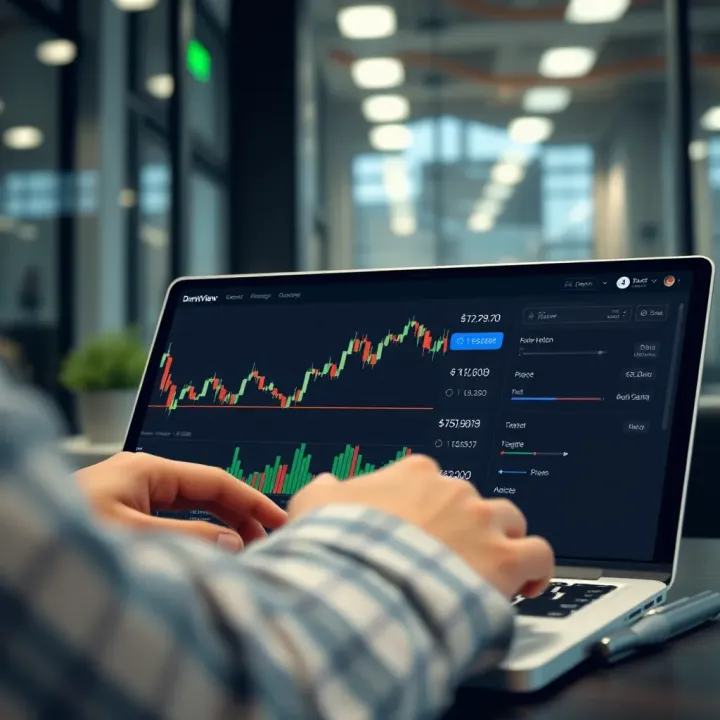
Boost your trading on Deriv by integrating TradingView charts 📈. Learn setup, customization, common issues, and tips for smarter trades today!
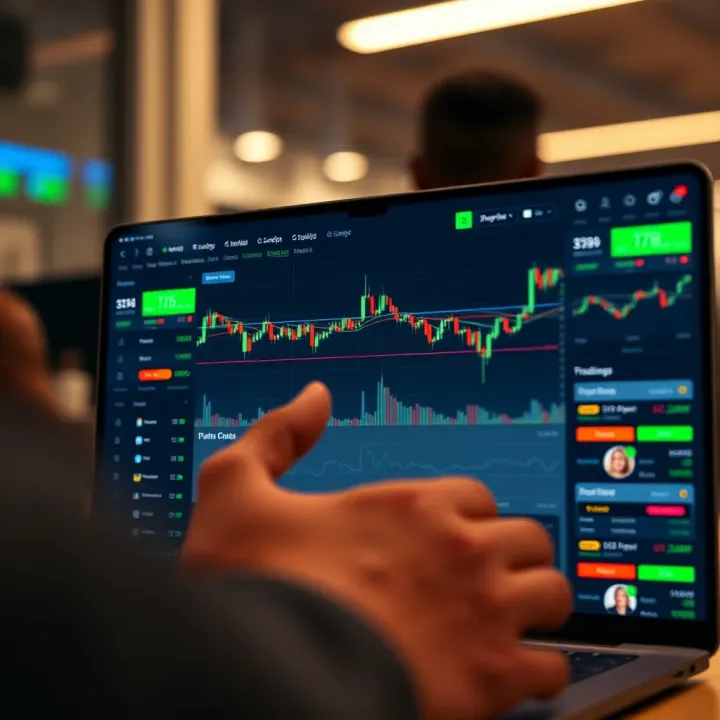
📊 Explore TradingView's powerful tools for traders in Nigeria! Learn to analyze markets, use charts, and tap community insights for smarter trades.
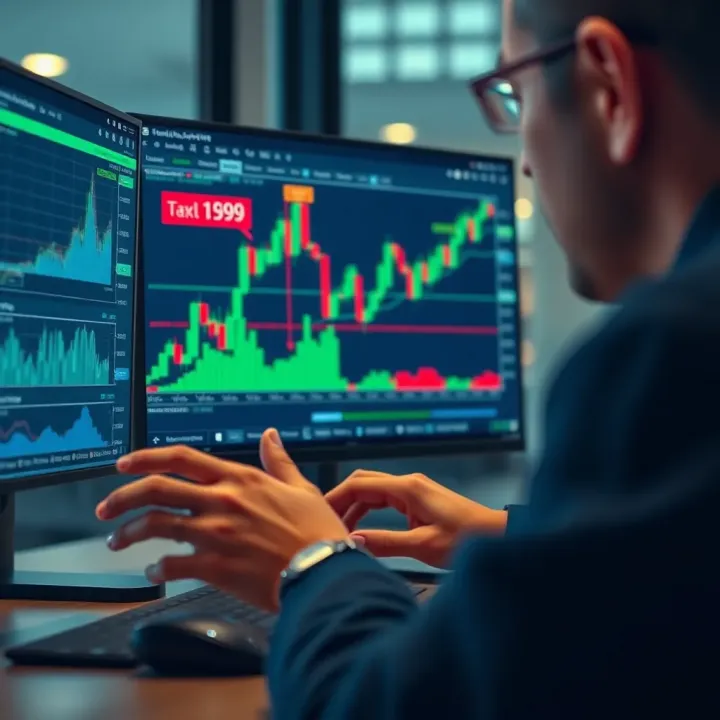
Explore TradingView 📊 step-by-step for market analysis in Nigeria 🇳🇬. Learn charting, tools, social features, and broker integration to boost your trading skills!
Based on 10 reviews